



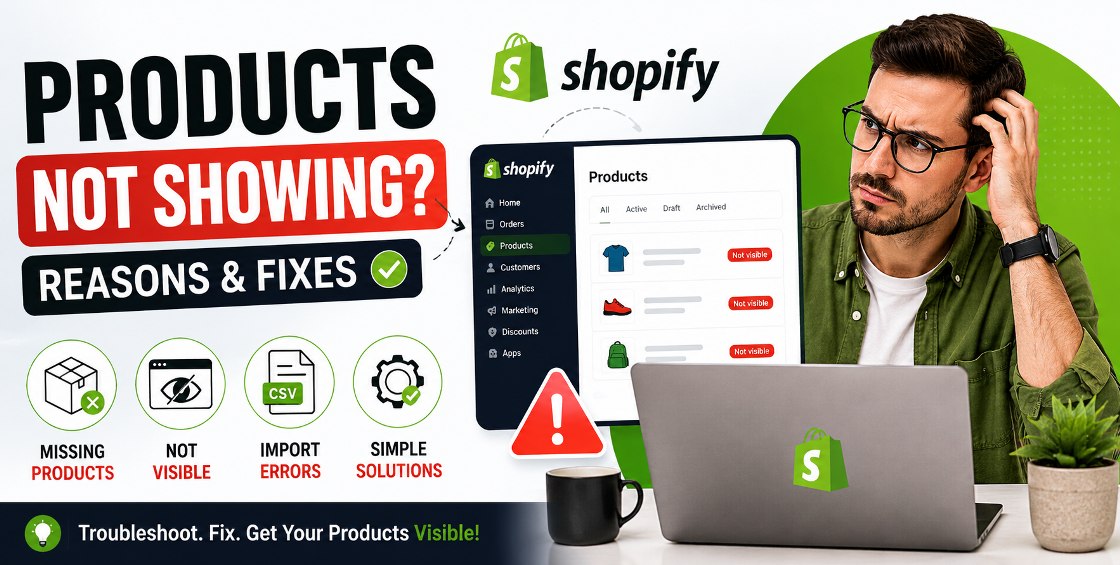
You upload new products to your Shopify store, refresh the page, and suddenly realize they're nowhere to be found.
No product pages. No collection listings. No search results.
If you've ever faced this issue, you're not alone.
One of the most common support requests we receive from Shopify store owners is: "Why are my Shopify products not showing?"
Whether you're launching a new store, importing thousands of SKUs through a CSV file, syncing products from suppliers, or updating collections, invisible products can lead to lost sales, poor customer experience, and unnecessary frustration.
The good news is that in most cases, the issue can be identified and fixed quickly.
In this guide, we'll walk through the most common reasons Shopify products fail to appear and show you exactly how to solve them based on real-world Shopify store management experience.
There are several reasons products may disappear from your storefront even though they exist in your Shopify admin.
Let's look at the most common causes.
This is often the first thing we check when troubleshooting missing products.
A product can exist inside Shopify but still remain hidden from customers if it isn't published to the Online Store sales channel.
If the product is unpublished, customers won't see it regardless of inventory status or collections.
Real-World Insight: We've seen stores bulk-import thousands of products only to discover the CSV import left products unpublished. Everything appeared fine inside the admin panel, but none of the products were visible on the live storefront.
Shopify allows merchants to save products as Draft before making them available to customers.
If a product remains in Draft status, it will not appear on your website.
This simple setting is responsible for a surprising number of visibility issues, especially when teams manage large catalogs.
Inventory settings can affect product visibility depending on your theme and store configuration.
If inventory reaches zero and backorders are disabled, some themes automatically hide products or make them unavailable.
Make sure inventory levels are correctly synced if you're using fulfillment apps or third-party inventory systems.
Many Shopify themes display products primarily through collections rather than standalone product listings.
A product may be active and published but still not appear if it's not assigned to the correct collection.
A small typo in a tag can prevent automated collection rules from including a product.
Collection rule requires:
SummerBut the product tag is entered as:
summerDepending on your setup, collection conditions may not behave as expected.
Shopify allows scheduled publishing.
Sometimes products are configured to become available on a future date and time.
This issue commonly occurs during product launches and seasonal promotions.
Sometimes the problem isn't the product at all.
It's the theme.
Custom Shopify themes, theme updates, or coding modifications can prevent products from displaying correctly.
Switch temporarily to a default Shopify theme preview.
If products appear there, the issue likely exists within the current theme configuration.
Customers often report missing products when the products actually exist but aren't appearing in search results.
After large imports, Shopify may require time to re-index products.
For stores with thousands of SKUs, indexing delays can occasionally take several hours.
Bulk product uploads save time, but they can also introduce visibility problems.
We've reviewed imports where a single formatting issue caused hundreds of products to remain hidden after upload.
Always verify:
before importing large product catalogs.
Complex variant structures can sometimes create unexpected visibility problems.
If every variant is unavailable, some themes may display products differently or remove them from collection views.
Real Store Experience: A fashion retailer uploaded over 4,000 variants through a bulk import. Due to inventory mapping errors, every variant showed zero stock, causing collection pages to display incomplete product listings.
After managing product uploads and catalog maintenance for stores across the US, UK, Europe, Australia, New Zealand, and GCC markets, we've noticed a pattern.
Most product visibility issues fall into one of four categories:
Products exist but are unpublished.
Products aren't assigned correctly.
Third-party systems override inventory data.
CSV formatting errors create hidden issues that aren't immediately obvious.
When troubleshooting, start with these areas first. They account for the majority of product visibility problems.
A quick audit can identify hundreds of hidden products before customers notice.
Create a standard product publishing checklist:
This simple process can prevent most visibility-related issues before they impact sales.
If you're wondering why Shopify products are not showing, the issue is usually linked to product status, sales channel settings, inventory configuration, collection rules, theme conflicts, or CSV import errors.
The key is following a systematic troubleshooting process rather than making random changes inside the Shopify admin.
For growing ecommerce stores managing hundreds or thousands of products, regular catalog audits and quality checks are essential for maintaining product visibility and protecting revenue.

Our Trusted Clients
















Our goal is to help our companies maintain achieve best class positions their respective industries & our team works occur that pleasures have to be repudiated.

Copyright © MyShopifyExpert . All rights reserved.